
Designed for iPad · Built for HomeKit
See your home differently.
Home Floorplan shows rooms, accessories, and sensors in one spatial view.
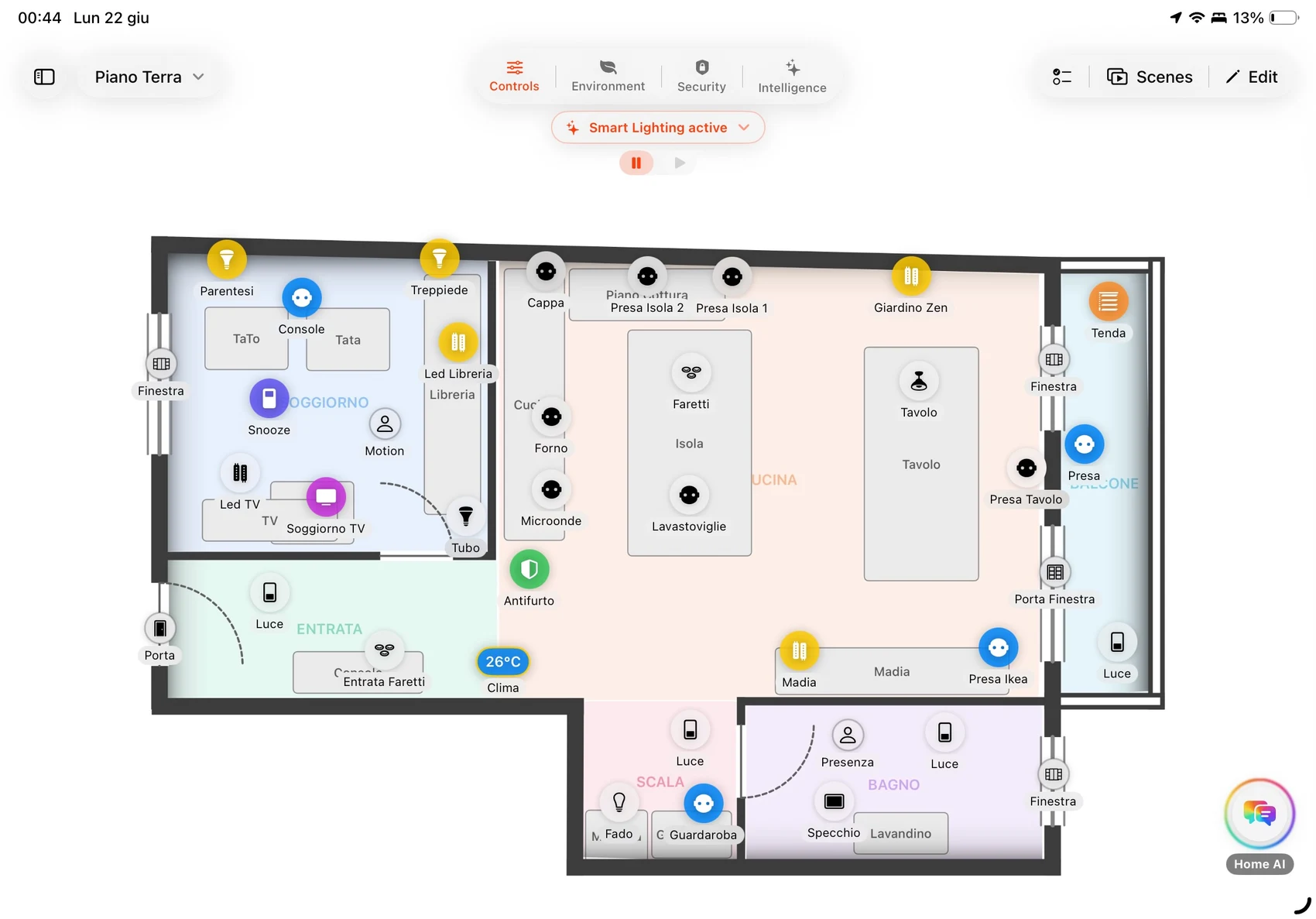
A home never stands still.
People come and go, the temperature rises, light shifts through the day, and small habits repeat.
Home Floorplan puts all of it on your floorplan, so you can see it happening where it belongs, not on just another screen.
Chapter 01
Everything where you expect it.
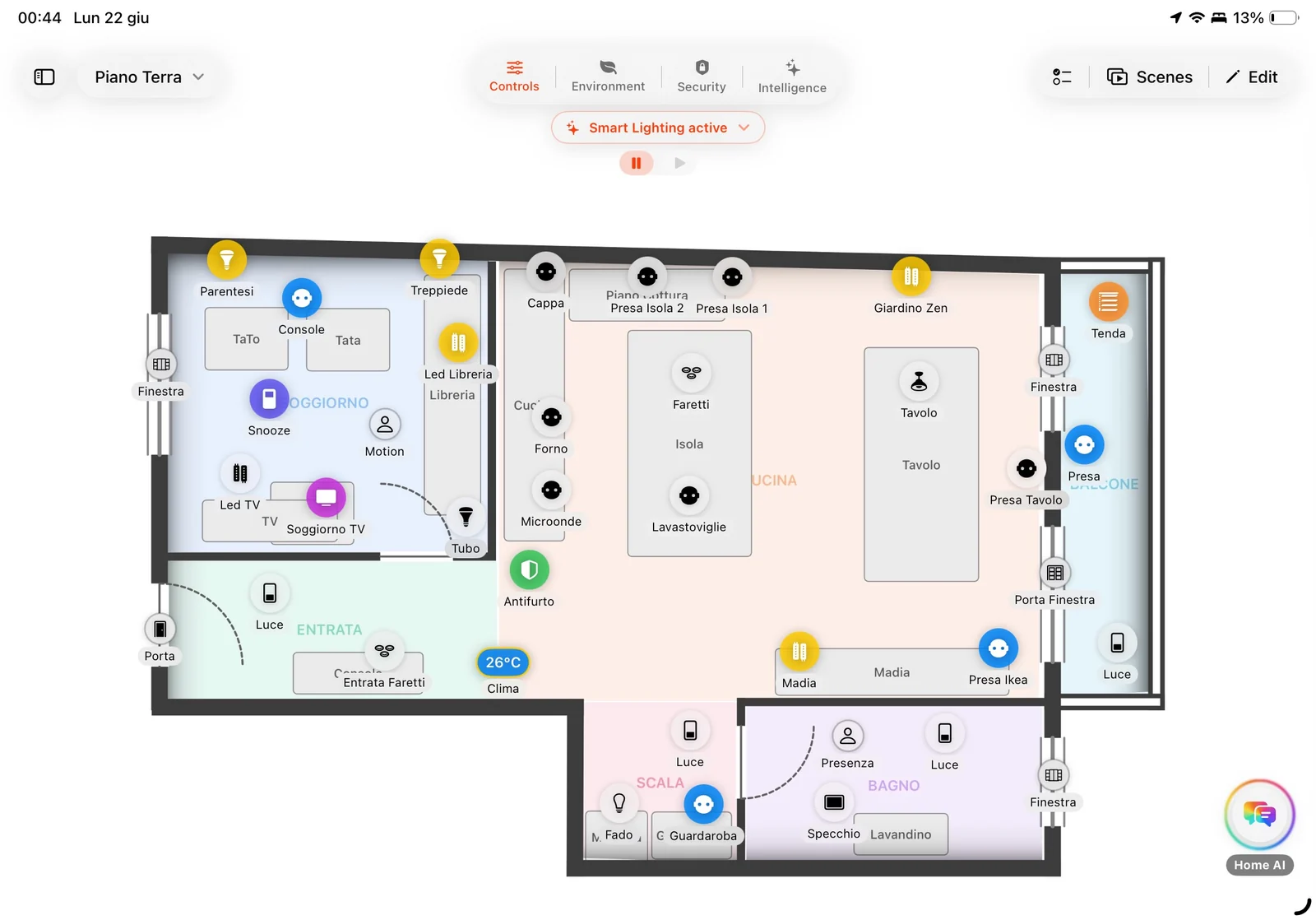
Draw the floorplan for each floor and find lights, sensors, and accessories exactly where they are in real life. No lists to scroll through: tap a room and control what's inside.
Chapter 02
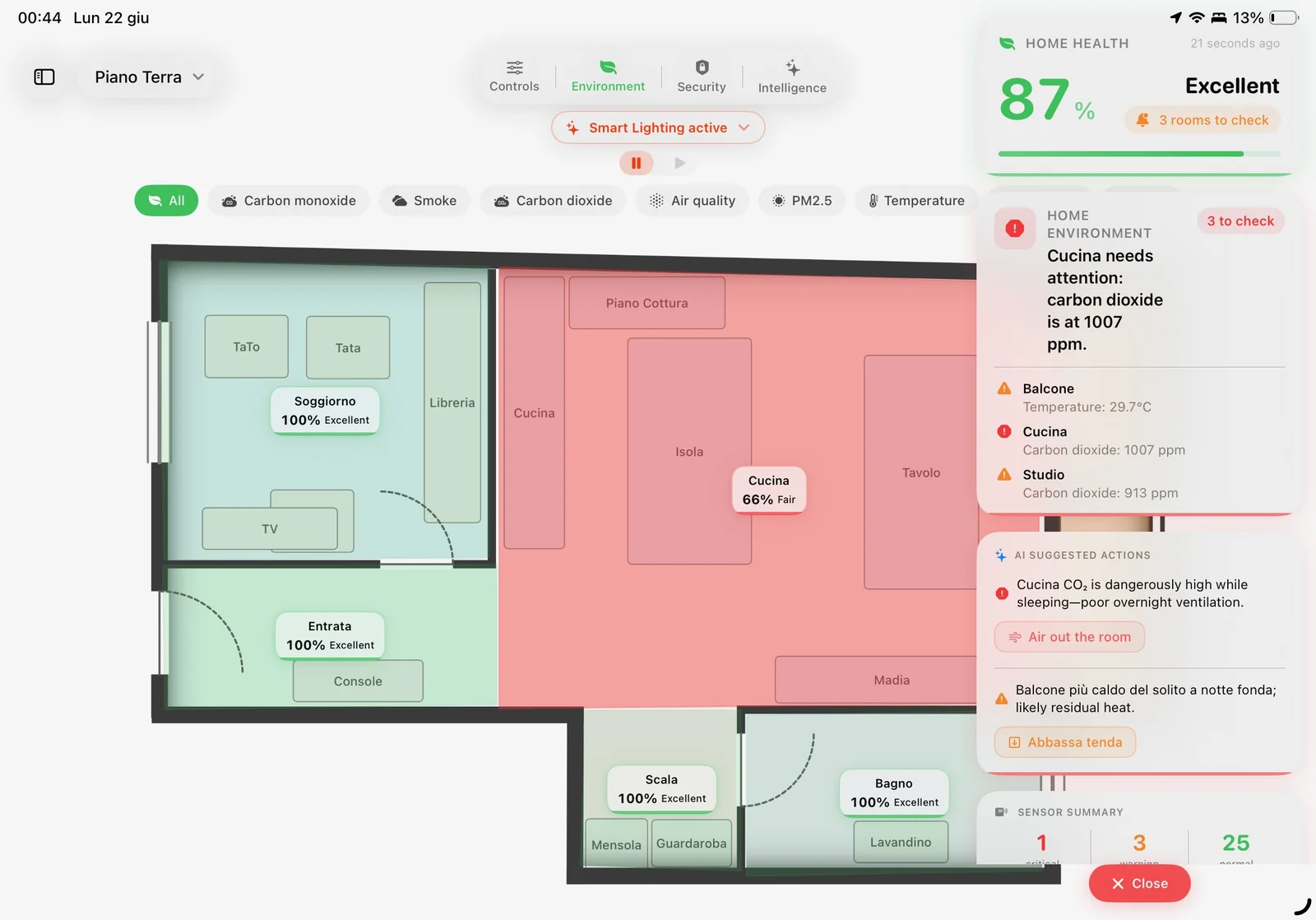
Understand the air before you even walk in.
Temperature, humidity, and air quality for each room, readable at a glance on the floorplan. You can see right away if the bedroom is too dry or if the kitchen needs a window open, without jumping through ten screens.
Chapter 03
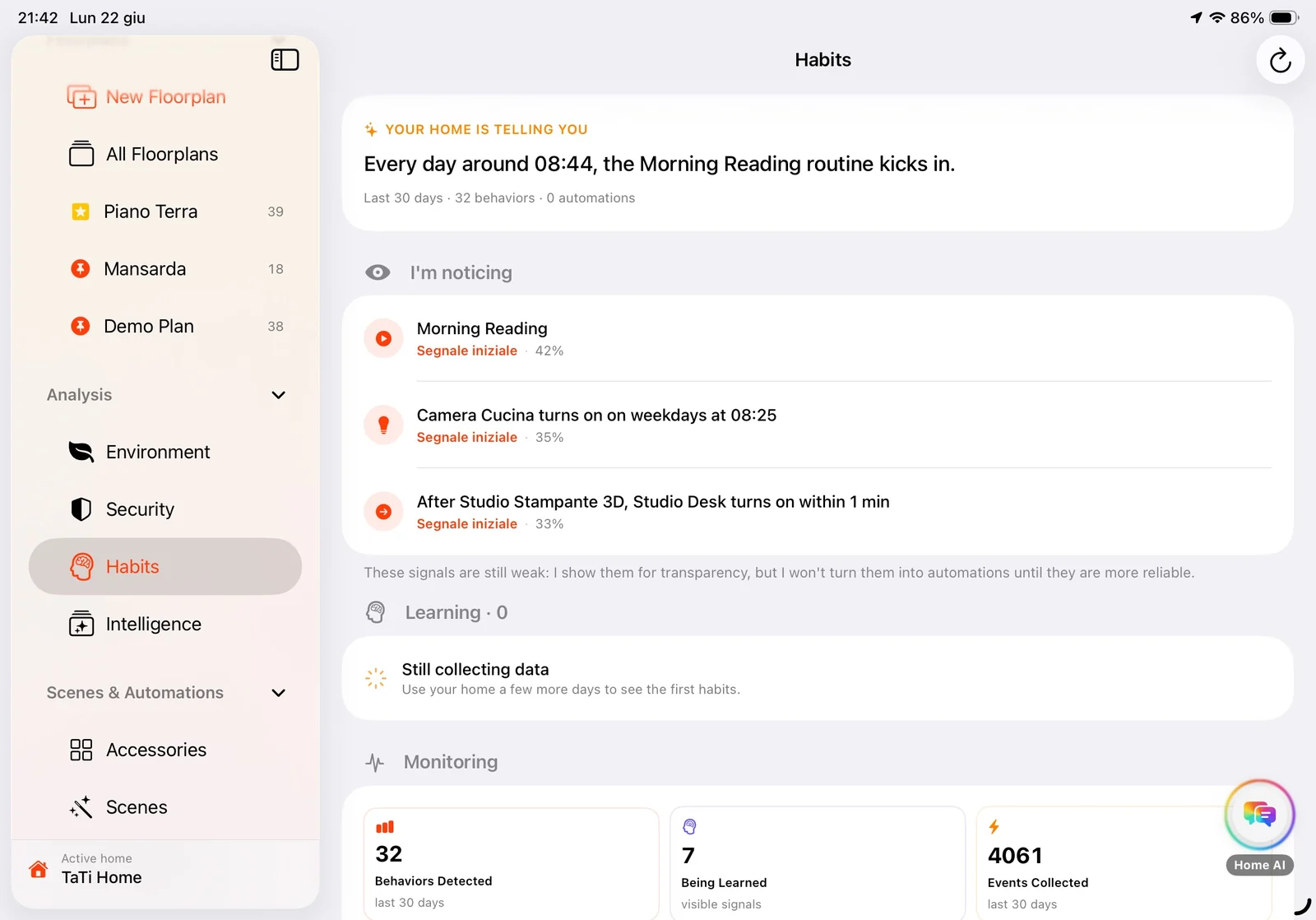
Learn how your home really lives.
Day by day, Home Floorplan notices the things you do at the same time, or in the same way, and shows them to you. When a habit is clear enough, it suggests turning it into an automation. Everything stays on your iPad, nothing goes to the cloud.
Chapter 04
Make it live on the wall.
A fixed iPad in the hallway or kitchen, always on, showing your home instead of a grid of icons. Home Floorplan was made to live there.
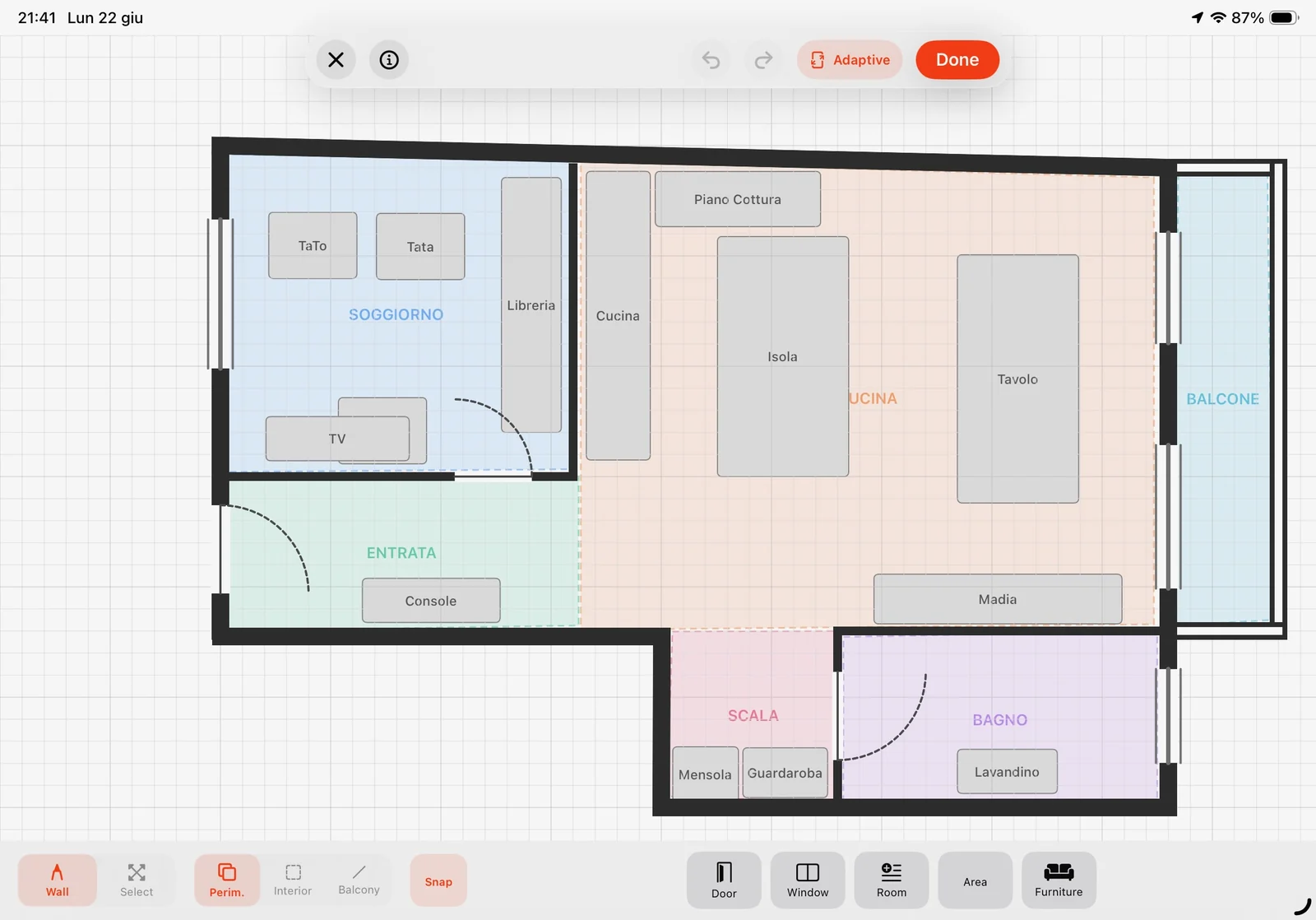
Designed for iPad in landscape
A dashboard that keeps its sense of place.
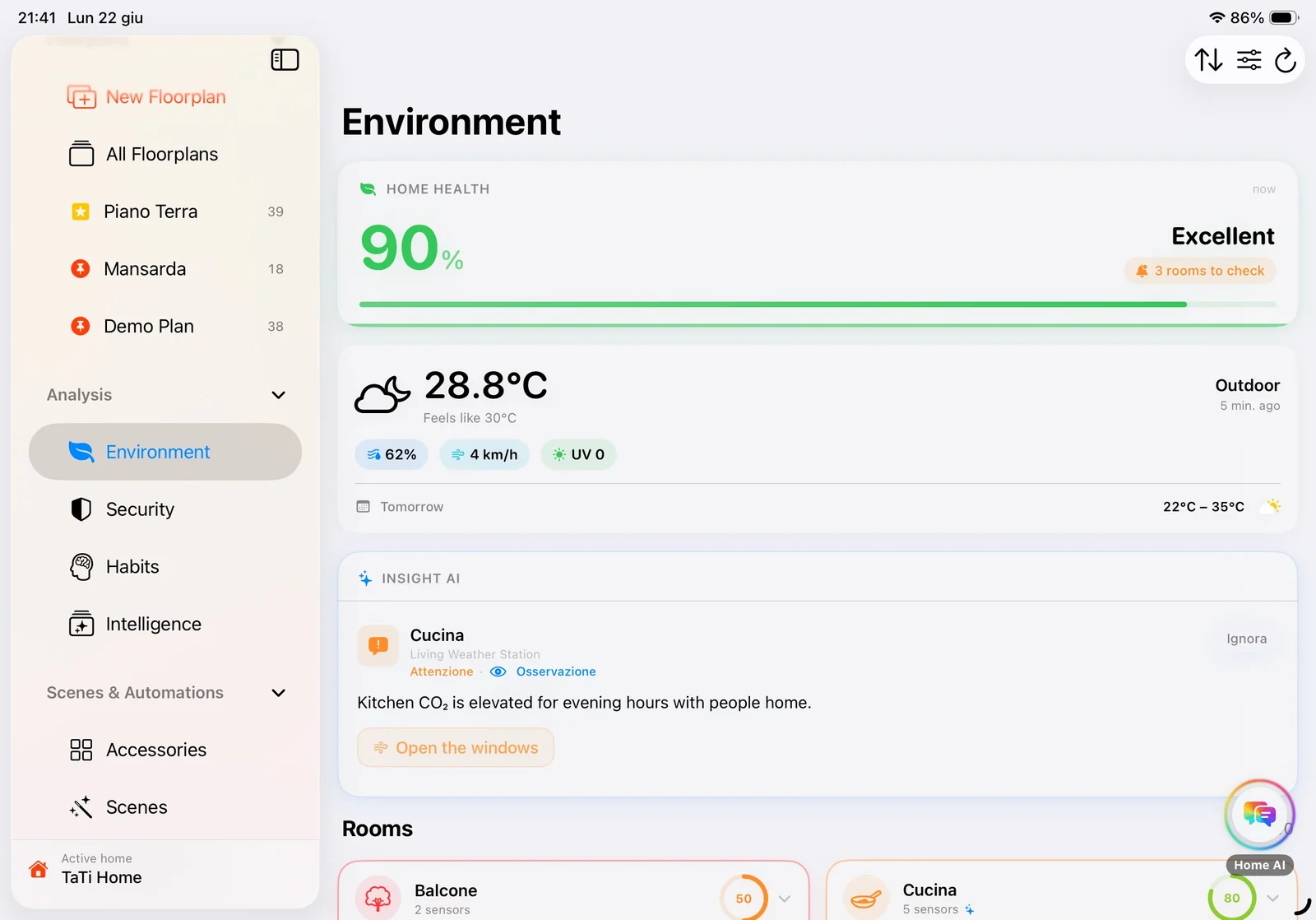
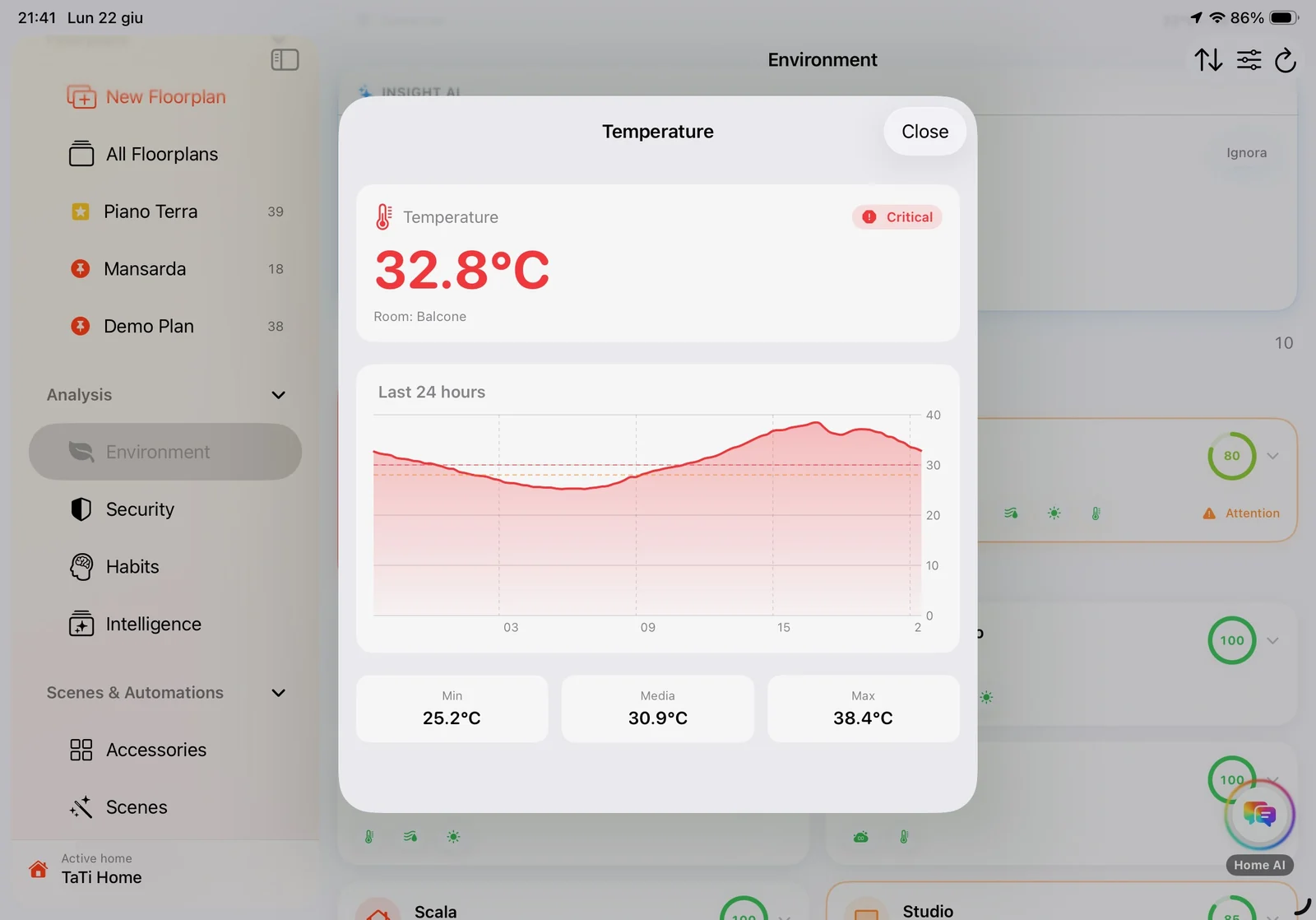
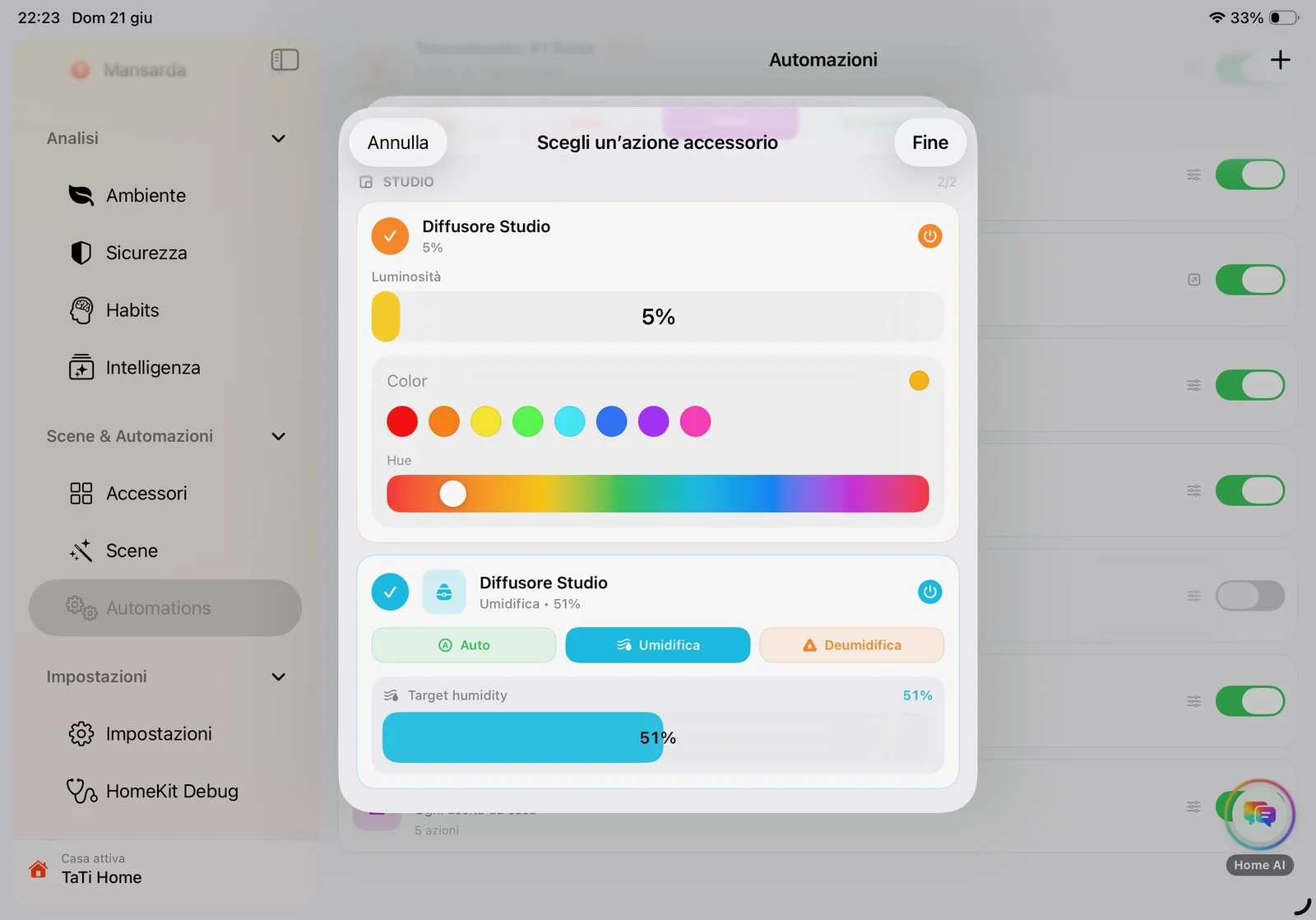
Space comes first
The floorplan is where everything starts. Every accessory sits where it actually is, not buried at the bottom of a list.
AI that stays out of the way
It works quietly and speaks up only when it has something useful to say.
Made for Apple
Built from scratch for iPad with Apple tools. Fast, and right at home.
Try it now. It's free.
Home Floorplan is in beta on TestFlight.
- Works on any iPad
- LiDAR not required
- Coming soon to the App Store, free there too
I built it first for my own home. Now it's open to yours.
Open TestFlight